config 加上文件上传路径
python
MAX_FILE_SIZE = 100 * 1024 * 1024  # 100MB
UPLOAD_DIR = BASE_DIR / "uploads"
UPLOAD_DIR.mkdir(parents=True, exist_ok=True)

ALLOWED_EXTENSIONS = {
    ".jpg", ".jpeg", ".png", ".gif", ".webp",
    ".pdf", ".doc", ".docx", ".xls", ".xlsx", ".zip",
}
新建文件上传的 api 接口
python
import os
import time
from pathlib import Path
import uuid
import shutil
from fastapi import APIRouter, File, UploadFile

from app.common.exceptions import BusinessException
from app.common.response import Response
from app.config import ALLOWED_EXTENSIONS, BASE_DIR, MAX_FILE_SIZE, UPLOAD_DIR

router = APIRouter(prefix="/files", tags=["文件管理"])

@router.post("/upload")
def upload(file: UploadFile = File(...)):
    """文件上传的接口"""
    if not file.filename:
        raise BusinessException(message="文件名不能为空")

    # 原始的文件名  用户头像.jpg
    orignal_name = os.path.basename(file.filename)
    # 文件后缀 .jpg
    ext = Path(orignal_name).suffix.lower()
    if ext not in ALLOWED_EXTENSIONS:
        raise BusinessException(message=f"不自持的文件后缀:{ext}")
    # 文件大小校验
    if file.size and file.size > MAX_FILE_SIZE:
        raise BusinessException(
            message=f"文件不能超过 {MAX_FILE_SIZE // 1024 // 1024}MB"
        )
    # 设置唯一的文件名称   199323213213_ddadaqwerq.jpg
    disk_name = f"{int(time.time() * 1000)}_{uuid.uuid4().hex[:8]}{ext}"
    # 文件存储的实际路径
    save_path = UPLOAD_DIR / disk_name

    # 流式写文件
    with open(save_path, "wb") as f:
        shutil.copyfileobj(file.file, f)

    return Response.success(
        data={
            "original_name": orignal_name,
            "disk_name": disk_name,
            "size": file.size,
            "url": f"/uploads/{disk_name}",
        }
    )
配置路由
python
from fastapi import APIRouter
from app.api.auth import router as auth_router
from app.api.user import router as user_router
from app.api.files import router as files_router

api = APIRouter(prefix="/api")

api.include_router(auth_router)
api.include_router(user_router)
api.include_router(files_router)
app 挂载静态资源目录
python
from fastapi.staticfiles import StaticFiles

from app.config import UPLOAD_DIR

# 挂载静态资源:/uploads/xxx.jpg → uploads/xxx.jpg
app.mount("/uploads", StaticFiles(directory=UPLOAD_DIR), name="uploads")
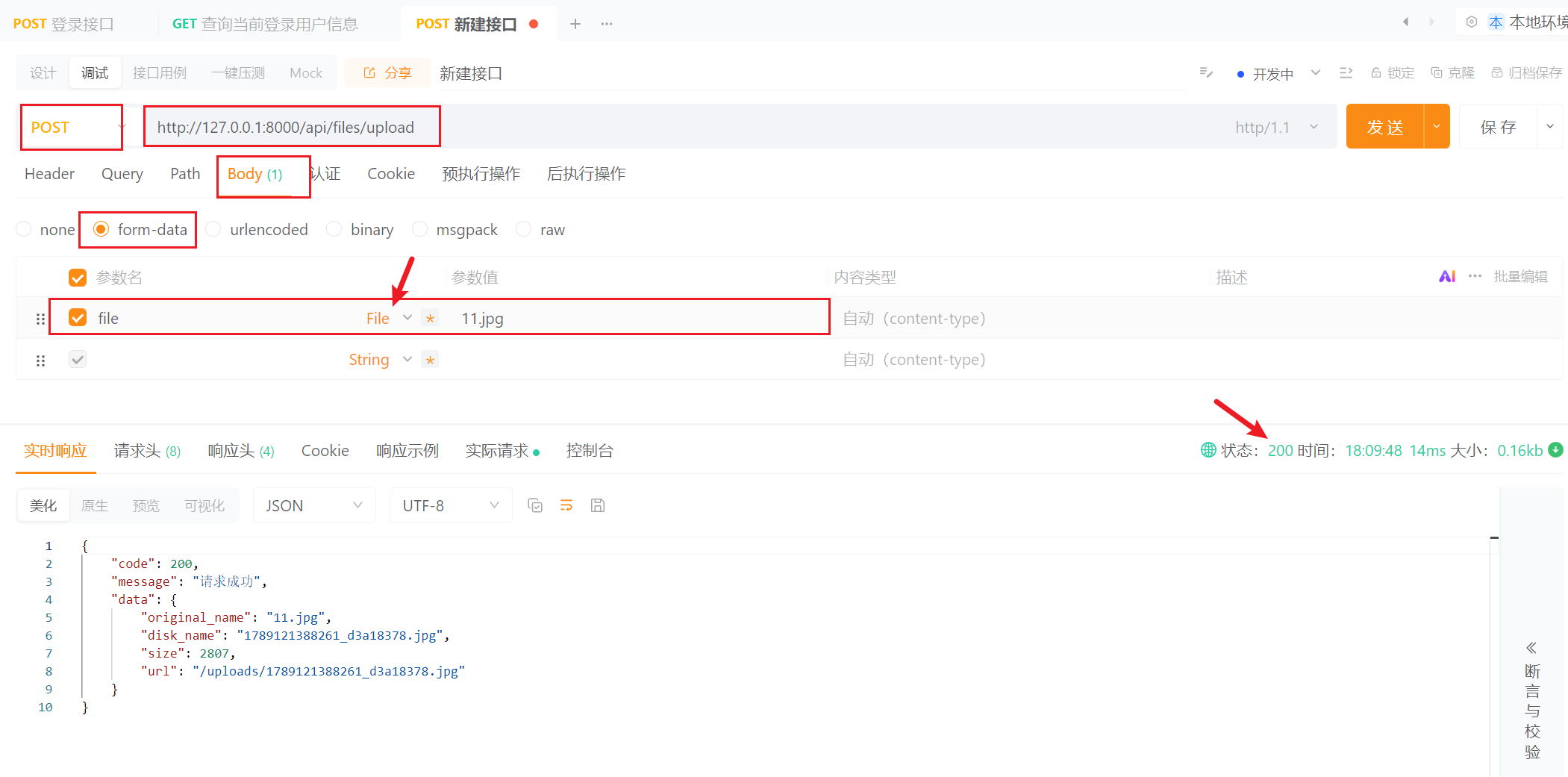
API Post 测试